🔬 BioKhoj Help

Your personal literature radar — track genes, pathways, diseases, and authors across the biomedical literature with intelligent signal scoring.

Getting Started

What BioKhoj Does

BioKhoj (from Hindi khoj, meaning "search" or "discovery") is a personal literature radar for biomedical researchers. It continuously monitors the published literature for topics you care about and surfaces the most relevant new papers using an intelligent Signal Score.

  1. Add entities to your watchlist — genes (BRCA1), diseases (glioblastoma), pathways (mTOR signaling), drugs (olaparib), or any biomedical concept
  2. BioKhoj finds papers — queries PubMed, bioRxiv, and OpenAlex for recent publications mentioning your watchlist entities
  3. Papers are scored — each paper gets a Signal Score (0–100) based on recency, citation velocity, journal tier, entity match strength, and novelty of co-mentions
  4. You stay informed — high-signal papers surface to the top, co-mention alerts flag unexpected connections, and trend charts show how your topics evolve over time
BioKhoj runs 100% in your browser. Your watchlist, reading list, and settings are stored locally. The only network requests are API calls to fetch paper metadata from PubMed, bioRxiv, and OpenAlex.
First-Run Demo

When you first open BioKhoj, you will see an empty watchlist. Here is how to get started in 60 seconds:

  1. Click "+ Add Entity" and type TP53 — BioKhoj auto-classifies it as a gene
  2. Add a second entity: glioblastoma — classified as a disease
  3. Click "Refresh Feed" — BioKhoj fetches recent papers mentioning either entity
  4. Papers appear sorted by Signal Score — the most relevant papers are at the top
  5. Look for co-mention badges — these flag papers that mention both TP53 and glioblastoma together, which may indicate novel connections

Watchlist

Adding and Removing Entities

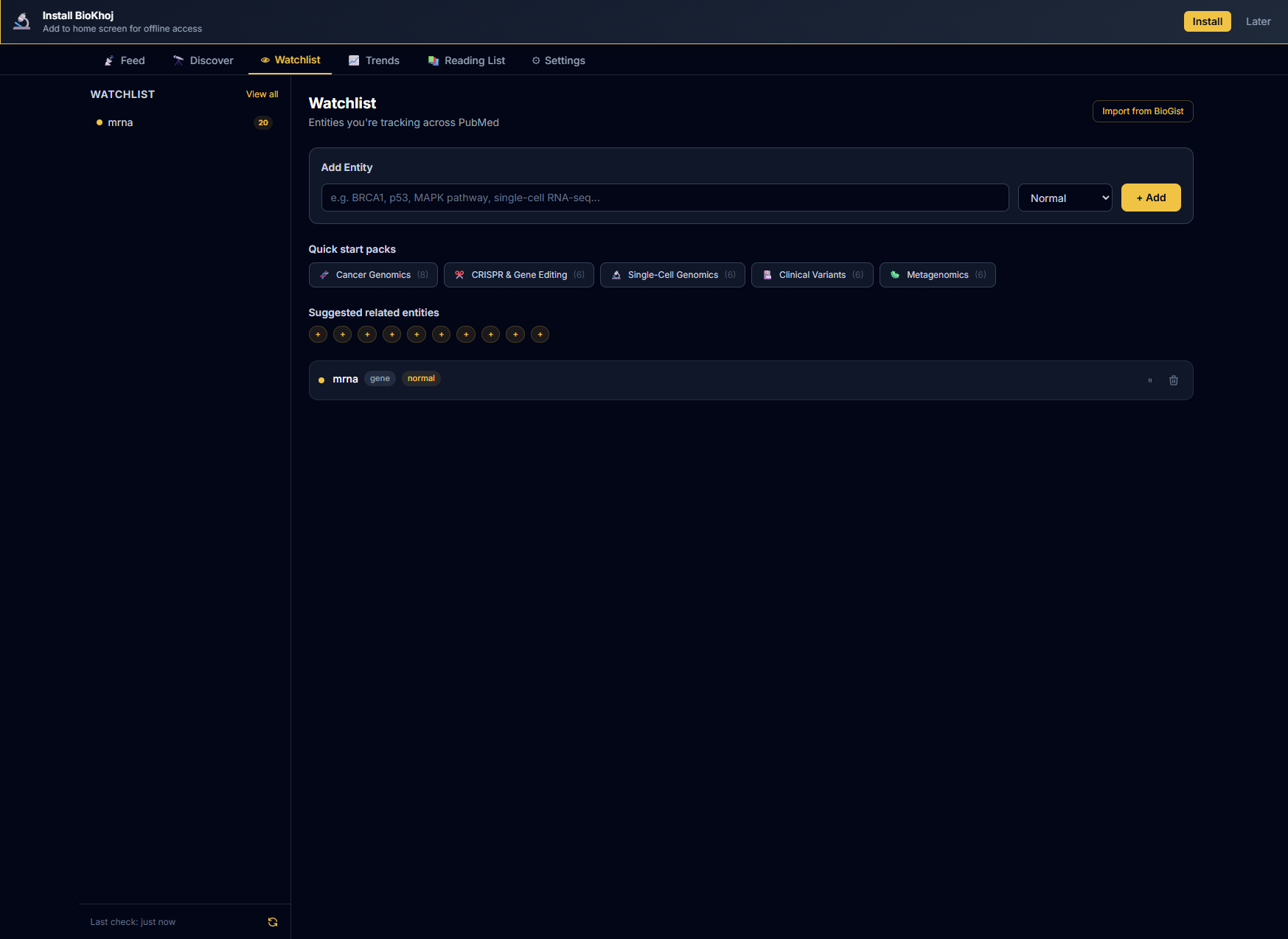
Your watchlist is the core of BioKhoj. Each entry is a biomedical concept you want to track.

Watchlist tab showing tracked entities with type badges and priority indicators
Priority Levels

Each watchlist entity can be assigned a priority level that affects how papers are scored:

PriorityIndicatorEffect on Signal Score
High!!!+10 bonus to entity match component
Normal!!Standard scoring (default)
Low!Entity match component scaled to 50%

Use high priority for your primary research focus and low priority for tangentially related topics you want to keep an eye on.

Tags

Tag entities with custom labels (e.g., thesis, grant-R01, collab-smith-lab) to organize your watchlist. Tags are used for:

Pause and Auto-Classification

Pause — temporarily pause an entity to exclude it from feed queries without removing it. Paused entities appear dimmed in the watchlist and can be resumed at any time.

Auto-classification — when you add an entity, BioKhoj automatically classifies it into one of these types:

TypeExamplesDetection
GeneBRCA1, TP53, EGFRMatches HGNC symbol patterns
Diseaseglioblastoma, ALS, COPDMeSH disease terms
PathwaymTOR signaling, Wnt pathwayKnown pathway names
Drugolaparib, pembrolizumabKnown drug names
Organismzebrafish, ArabidopsisNCBI taxonomy terms
MethodCRISPR, scRNA-seqCommon method keywords
Customanything elseFree text query

You can override the auto-classification by clicking the type badge and selecting a different type.

Paper Feed

How Papers Are Found

BioKhoj queries multiple sources to find papers related to your watchlist entities:

Results are deduplicated by DOI/PMID, merged, and scored. The feed updates when you click Refresh or on the schedule configured in Settings.

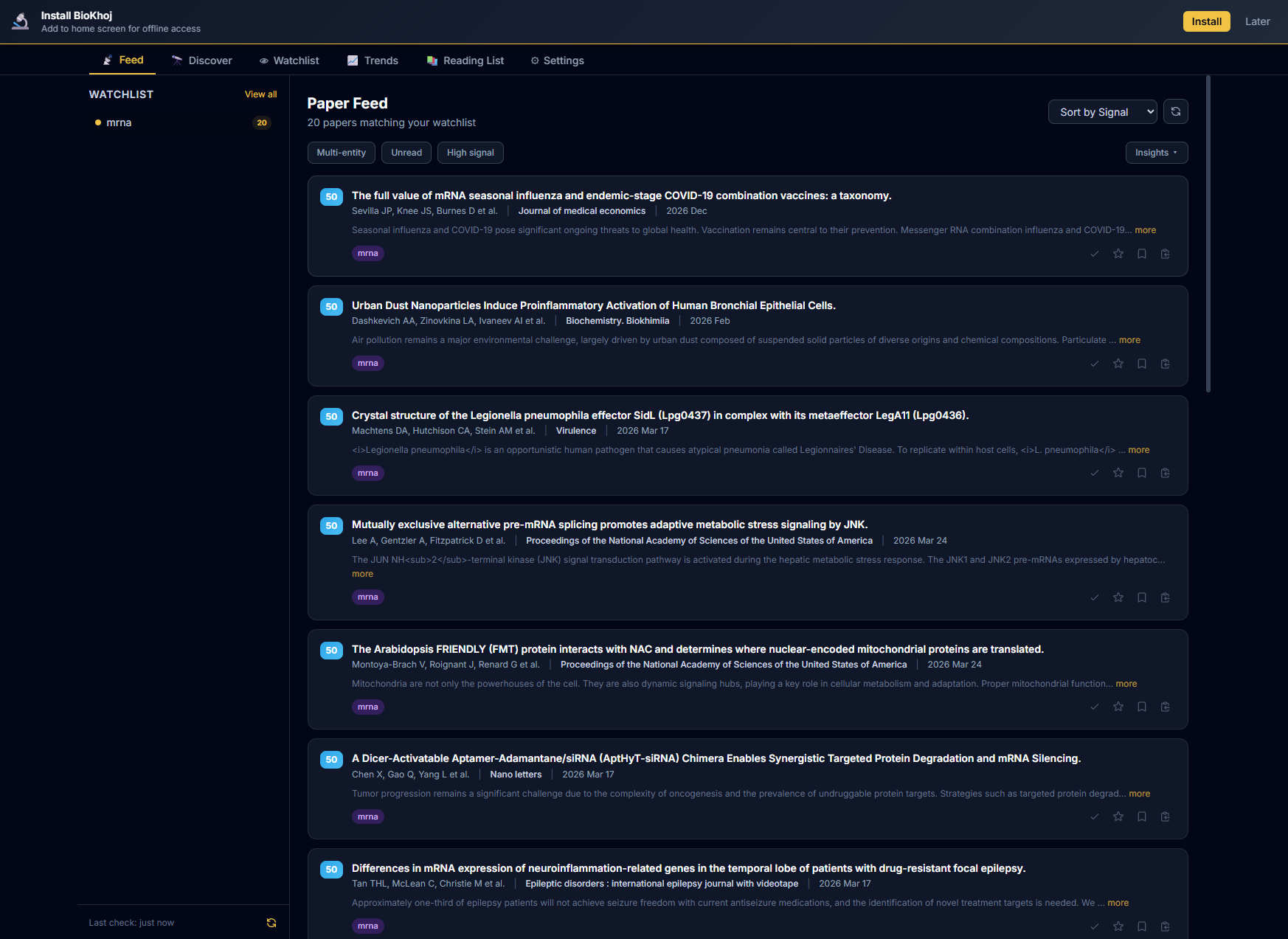
Feed tab showing paper list with signal scores, entity badges, and filter controls
Signal Score Badges

Every paper in the feed shows a Signal Score badge indicating its relevance to you:

BadgeScore RangeMeaning
8570 – 100High signal — highly relevant, recent, well-cited, or novel co-mention
5240 – 69Normal signal — moderately relevant, worth a glance
230 – 39Low signal — tangential match, older paper, or low-tier journal

Click the badge to see the full score breakdown for that paper.

Sorting and Filtering
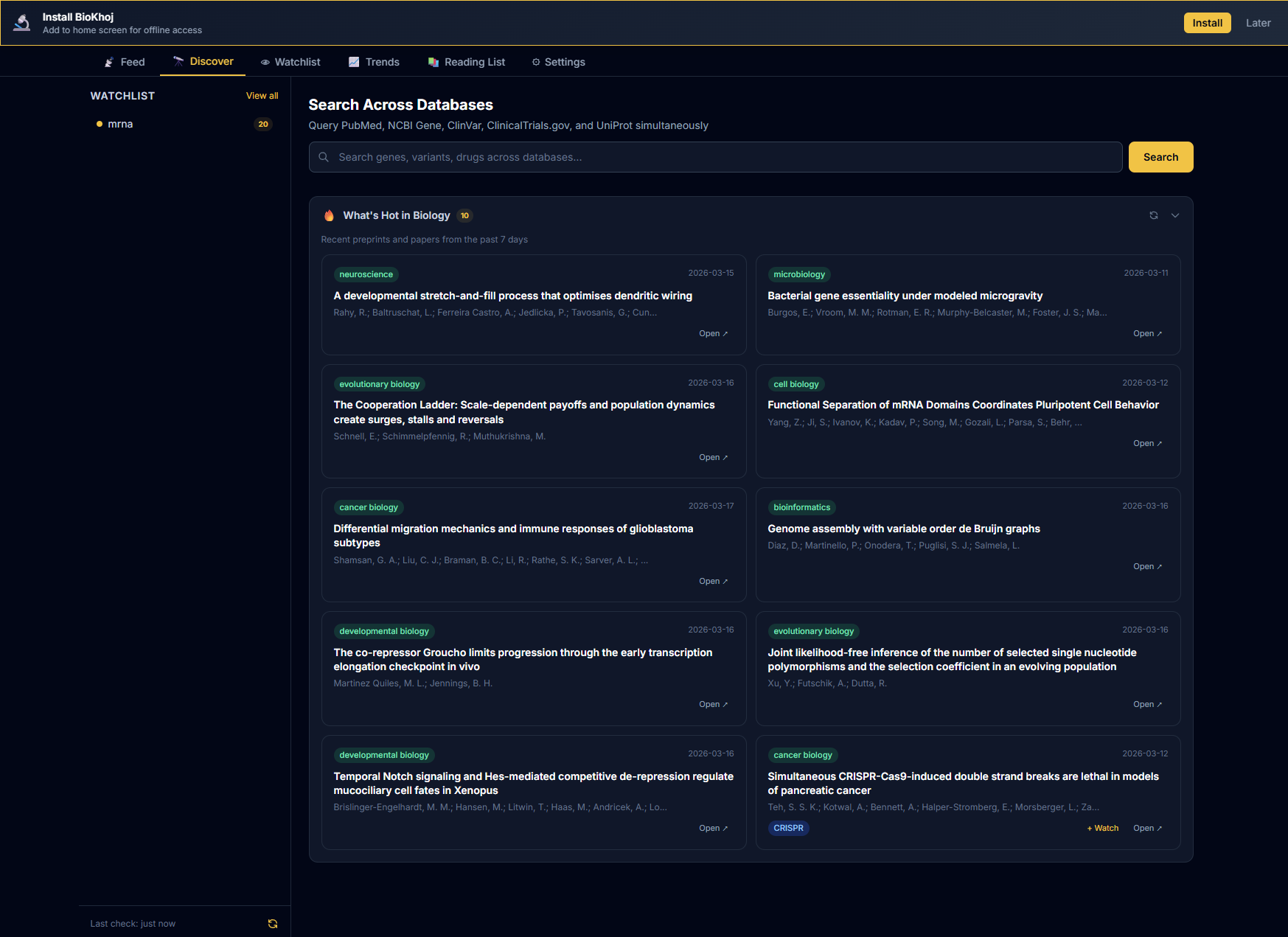
Discover tab with search and filtering options
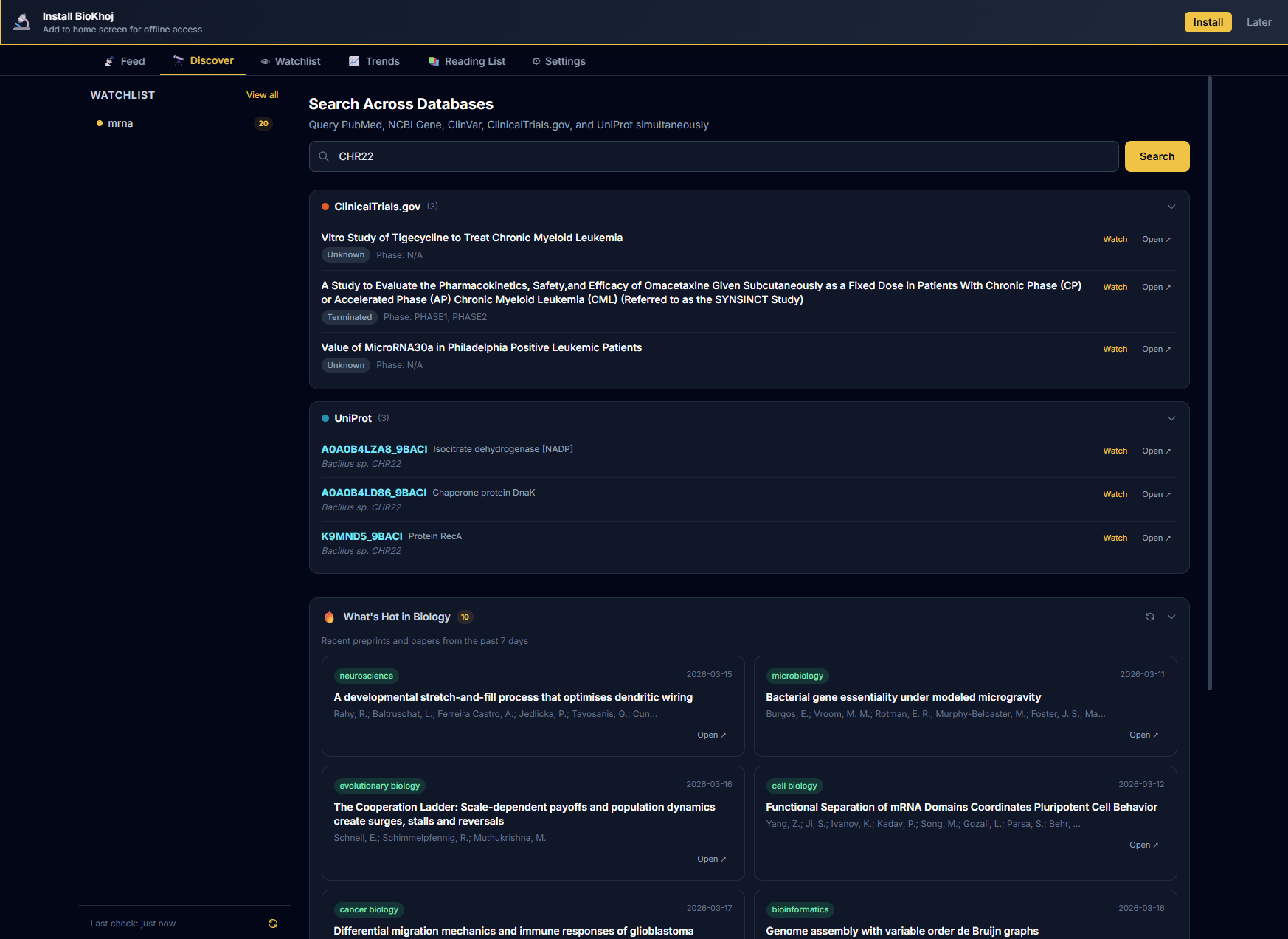
Search results showing papers matching a query

Feed Toolbar

Filter Row and Insights Dropdown

The feed toolbar is the primary control row above the paper list. It contains three filter toggle buttons and an Insights dropdown:

All three filters are composable — enable any combination to narrow your feed. The "Insights" dropdown (right side of the toolbar) provides four actions:

Feed toolbar with Multi-entity, Unread, and High signal filter buttons and Insights dropdown

Unread and High Signal Filters

Feed Filter Toggles

Two dedicated toggle buttons in the feed toolbar let you quickly focus on what matters:

Both filters compose with the Multi-entity co-mention filter, so you can apply all three simultaneously to find unread, high-signal, cross-topic papers.

Click-to-Expand Abstracts

Inline Abstract Preview

Each paper card in the feed shows a 180-character abstract preview followed by a "more" link. Click "more" to expand the full abstract inline beneath the paper title. Click "less" to collapse it back to the preview. This replaces the old hover tooltip and works better on touch devices and narrow screens.

Watchlist Activity Indicators

On desktop, the sidebar displays your watchlist entities with colored activity dots that reflect real-time feed state:

Dot ColorMeaning
Purple (pulsing)High-signal unread papers (≥70) for this entity
SaffronNew papers found since last check, but none high-signal
GreyUp to date — no new papers

The dots update after each feed refresh. The purple pulse animation draws attention to entities with the most actionable new results.

Signal Score

Score Formula

The Signal Score is a composite score from 0 to 100 that ranks papers by how relevant and important they are to your research. It is computed from six weighted components:

Signal Score = Recency + Citation Velocity + Journal Tier + Co-mention Novelty + Entity Match + Author Reputation
Max: 25 + 20 + 15 + 20 + 10 + 10 = 100
Component Breakdown
ComponentRangeHow It Works
Recency 0 – 25 Exponential decay based on publication date. Papers published today score 25; papers from 7 days ago score ~18; 30 days ~10; 90 days ~3; older than 1 year ~0. Preprints get a small recency bonus since they represent the latest findings.
Citation Velocity 0 – 20 Citations per month since publication, normalized against the field average. A paper with 10 citations in its first month in a field averaging 2/month scores high. Data from OpenAlex. New papers (<30 days) use Altmetric attention score as a proxy when available.
Journal Tier 0 – 15 Based on the journal's configured tier (see Settings). Tier 1 (Nature, Science, Cell) = 15; Tier 2 (PNAS, eLife, Genome Research) = 10; Tier 3 (field-specific journals) = 6; Unranked = 3; Preprint servers = 5.
Co-mention Novelty 0 – 20 Measures how novel it is for two of your watchlist entities to appear together in the same paper. If BRCA1 and mTOR rarely co-occur in the literature but this paper discusses both, the novelty score is high. Computed from historical co-occurrence frequency via OpenAlex concept co-occurrence data.
Entity Match 0 – 10 How many of your watchlist entities the paper mentions, weighted by priority. A paper matching 3 high-priority entities scores 10; a paper matching 1 low-priority entity scores ~2.
Author Reputation 0 – 10 Bonus for papers by authors you are tracking (see Author Tracking) or authors with high h-index in the field. Watched authors get a flat +7 bonus. Other authors are scored by their OpenAlex citation metrics.
Threshold Table
ThresholdLabelNotification
≥70High SignalDesktop notification (if enabled), badge count on extension icon
40–69Normal SignalAppears in feed, no notification
<40Low SignalHidden by default (show via filter toggle)

You can customize these thresholds in Settings.

Signal Mute Threshold

Hide Low-Scoring Papers

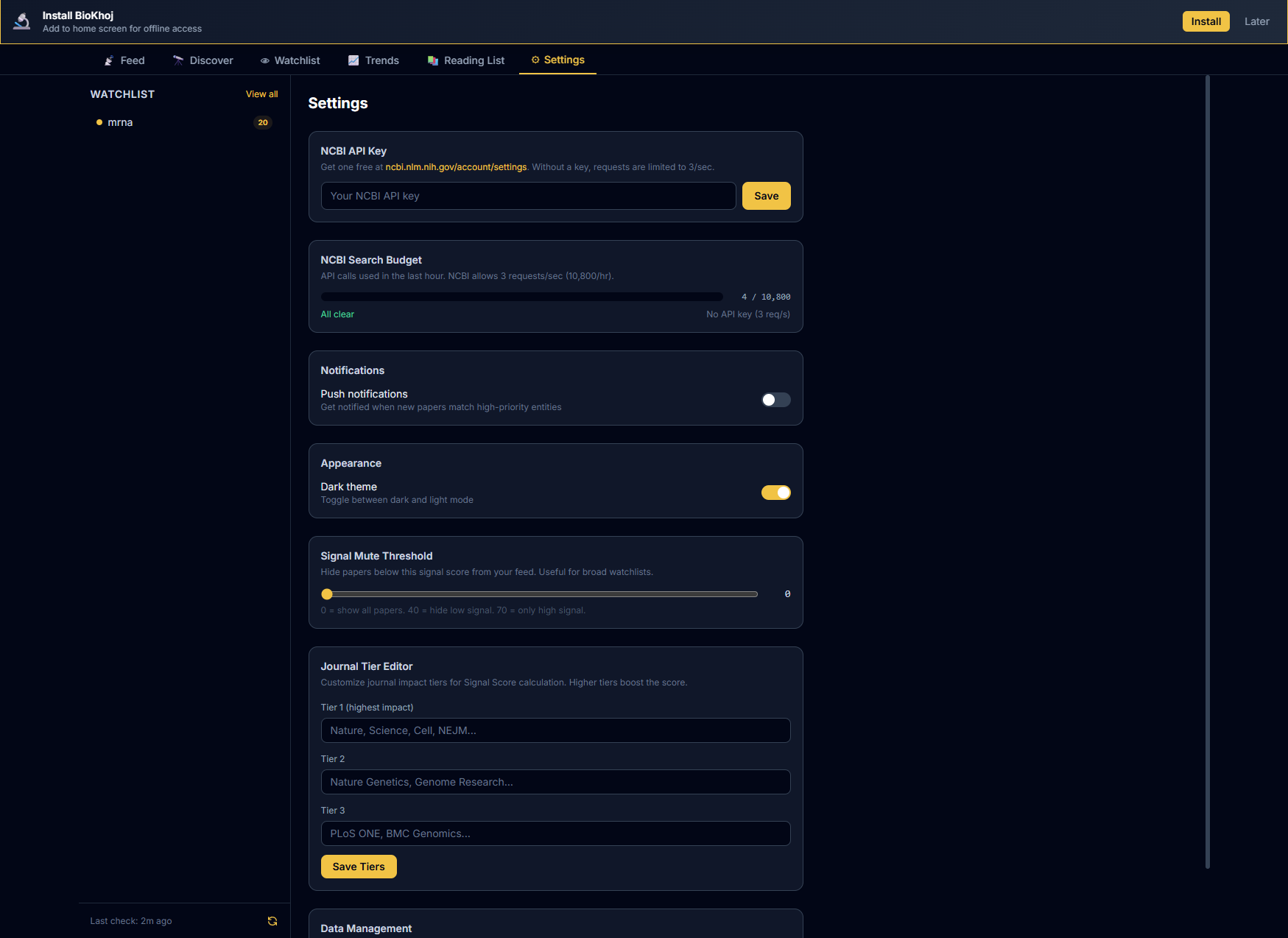
The Signal Mute Threshold is a slider in Settings (range 0–80) that hides all papers scoring below your chosen cutoff from the feed. Unlike the high-signal filter toggle (which shows only ≥70), the mute threshold is a persistent baseline — papers below it never appear in your feed at all.

When a mute threshold is active, the feed subtitle shows the active value (e.g., "Muted below 30"). Set it to 0 to see everything, or raise it to 20–40 to suppress noise from tangential matches. The threshold does not affect papers already saved to your reading list.

Settings tab with signal mute threshold slider

Concept Expansion

How Suggestions Work

BioKhoj can suggest related concepts to expand your watchlist coverage. When enabled, it uses:

Suggestions appear in a "Suggested" section below your watchlist with a brief rationale for each.

One-Click Add

Each suggestion has an "+ Add" button. Click it to instantly add the concept to your watchlist with auto-classification. Click "Dismiss" to hide the suggestion permanently.

Co-mention Alerts

What Co-mention Alerts Are

A co-mention alert fires when a paper discusses two or more of your watchlist entities together in a way that is statistically unusual based on historical co-occurrence data.

For example, if your watchlist contains BRCA1 and ferroptosis, and a new paper discusses both, BioKhoj flags this as a co-mention alert because these two concepts rarely appear together in the literature — this could represent a novel research direction.

Novel Detection

BioKhoj computes novelty by comparing the observed co-occurrence count against the expected count based on each entity's individual frequency:

Co-mention alerts appear with a CO-MENTION badge in the feed and contribute to the Signal Score's co-mention novelty component.

Examples
Entity AEntity BWhy It Is Flagged
BRCA1ferroptosisDNA repair gene + cell death pathway is an emerging intersection
TP53gut microbiomeTumor suppressor + microbiome is a novel cross-domain link
CRISPRprion diseaseGene editing + rare neurodegeneration is an uncommon pairing
Trend Charts and Sparklines

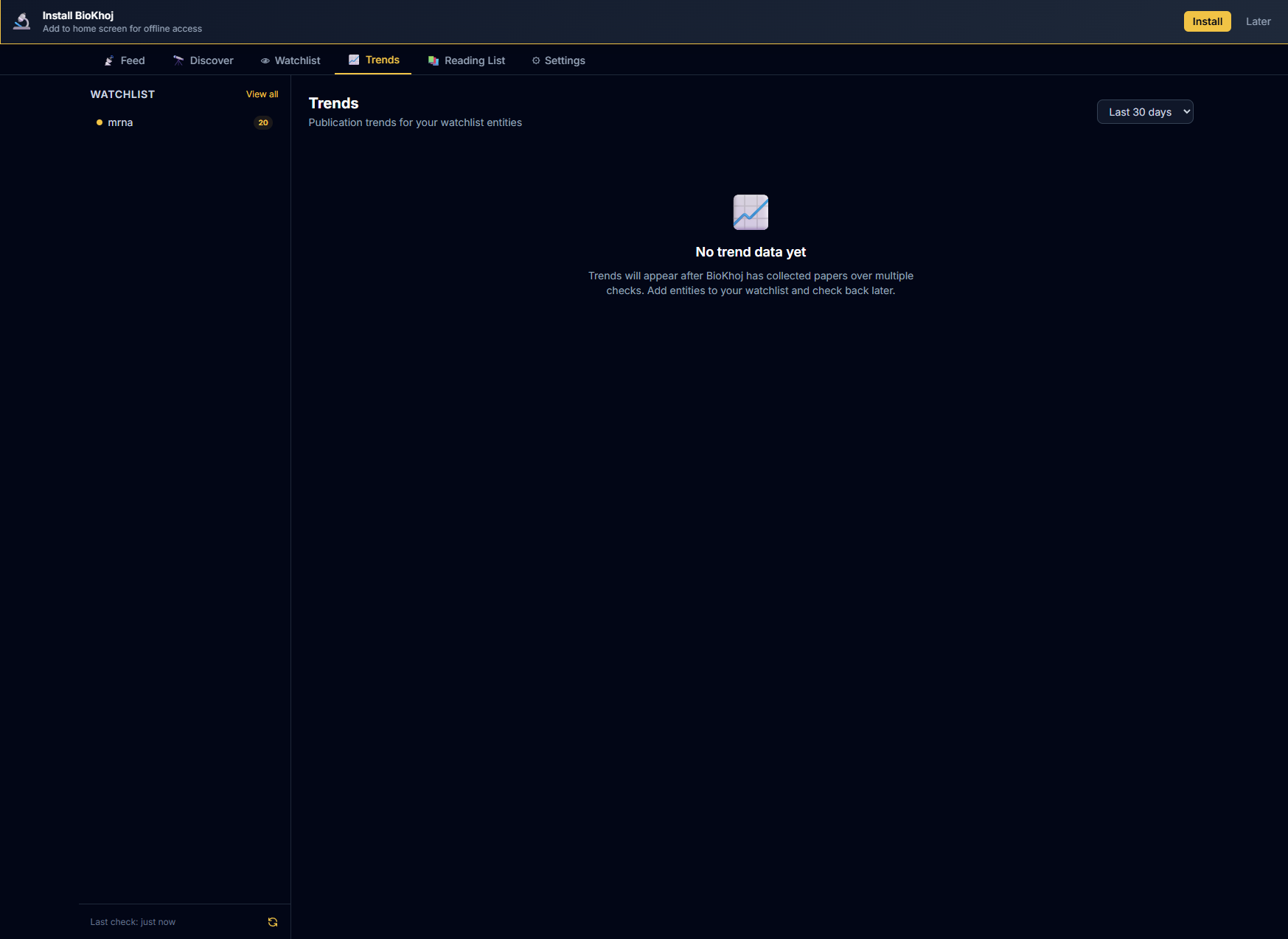
The Trends view shows publication volume over time for each watchlist entity:

Trends tab showing publication volume charts for watched entities
Time Ranges

Trend data is fetched from OpenAlex and cached locally for 24 hours.

At-a-Glance Trends Overview

Above the trend charts, BioKhoj displays a text-based insights summary box with four data points:

The summary refreshes whenever trend data is recalculated and provides a quick narrative you can scan before diving into the charts.

Reading List

Save, Notes, and Tags

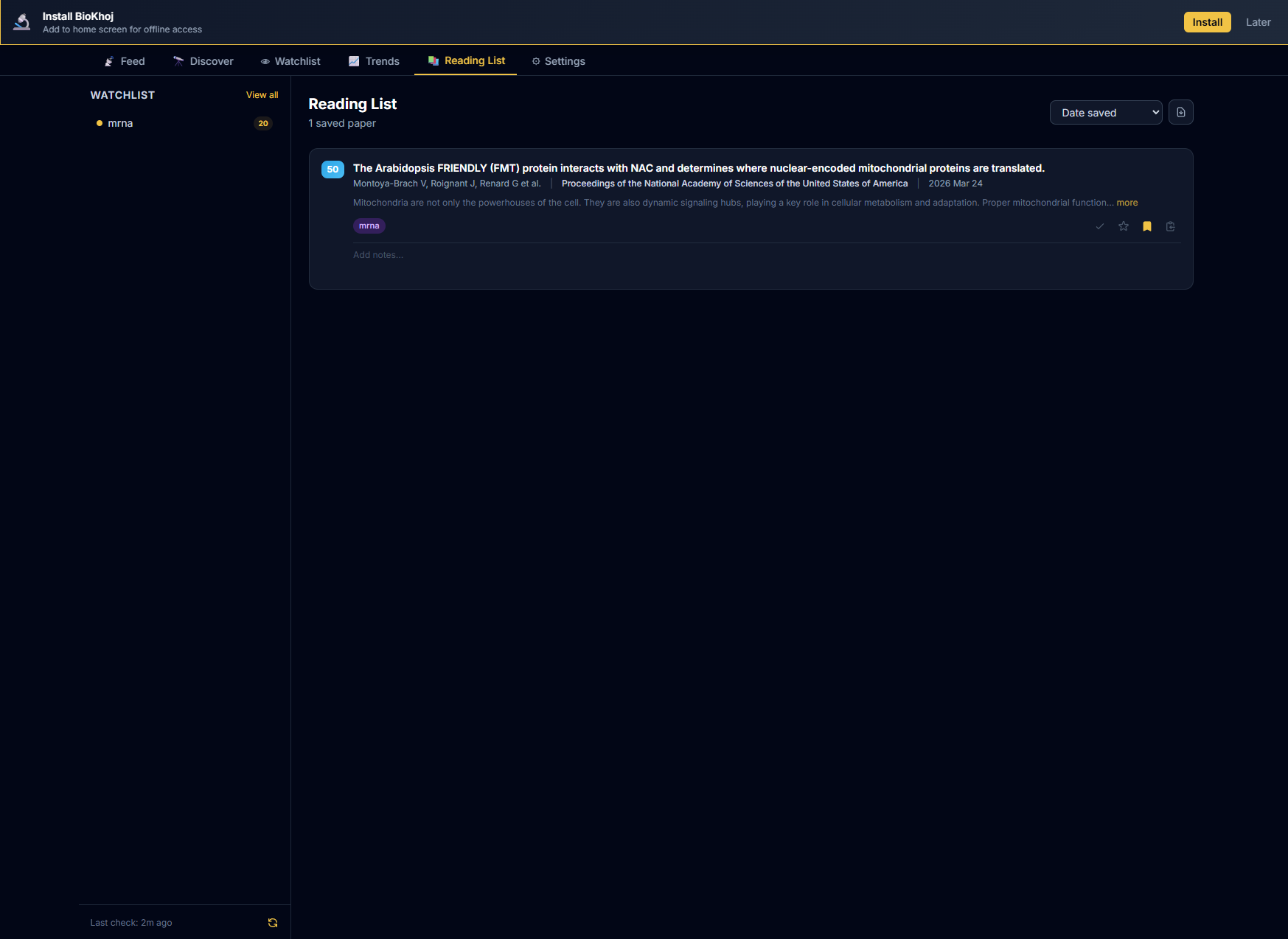
Save any paper from the feed to your Reading List for later reading. Your reading list is stored locally and persists across sessions.

Reading list tab with saved papers, notes, and status indicators
Sort and Export

Author Tracking

Watch Authors

Add specific authors to your watch list to get notified when they publish new papers:

New Publication Alerts

When a watched author publishes a new paper, it appears in your feed with an WATCHED AUTHOR badge and receives a +7 bonus to the Author Reputation component of its Signal Score. If notifications are enabled, you will get a desktop notification.

Export

Export Formats
FormatUse Case
BibTeXImport into LaTeX reference managers, Zotero, Mendeley
RISImport into EndNote, RefWorks, Papers
MarkdownPaste into notes, READMEs, or lab notebooks
CSVStandard CSV with title, authors, DOI, journal, date, Signal Score, and tags
pandas DataFrameCopy a pd.DataFrame(...) snippet ready to paste into a Jupyter notebook
R tibbleCopy a tibble(...) snippet ready to paste into RStudio
Watchlist JSONBack up your watchlist or share it with collaborators
Weekly DigestA formatted summary of the past week's high-signal papers, suitable for email or Slack
Export Scope

Settings

Configuration Options
SettingDescription
NCBI API KeyOptional. Increases PubMed rate limit from 3 req/s to 10 req/s. Get one free at NCBI.
NotificationsEnable/disable desktop notifications for high-signal papers and co-mention alerts. Configure notification threshold (default: 70).
Journal TiersCustomize journal tier assignments. BioKhoj ships with a default tier list; you can promote, demote, or add journals.
ThemeSwitch between dark mode and light mode.
Feed refreshConfigure automatic refresh interval: manual only, every 6 hours, every 12 hours, or daily.
Score thresholdsCustomize the boundaries for high/normal/low Signal Score badges (defaults: 70, 40).
Cache durationHow long API results are cached locally (default: 24 hours).
Max feed sizeMaximum number of papers to keep in the feed (default: 500).
Signal mute thresholdSlider (0–80) that persistently hides papers scoring below the cutoff from the feed. Set to 0 to see everything. See Signal Mute Threshold for details.
Settings tab with API key, notifications, journal tiers, signal mute threshold slider, and API budget bar

BioGist Integration

Import from BioGist

If you use BioGist (the entity scanner extension), you can import detected entities directly into your BioKhoj watchlist:

  1. Scan a paper in BioGist to detect genes, drugs, pathways, etc.
  2. Click "Send to BioKhoj" in BioGist's sidebar (or use the export menu)
  3. BioKhoj receives the entities and adds them to your watchlist with auto-classification

Both extensions use a shared entity format, so entities transfer cleanly between them. Pinned entities in BioGist are imported as high-priority watchlist entries.

Shared format: BioGist and BioKhoj use the same entity type taxonomy (Gene, Disease, Drug, Pathway, Method, Organism). Import preserves entity types without re-classification.

Privacy

Data Handling

Keyboard Shortcuts

Shortcuts
ActionShortcut
Toggle BioKhoj (extension)Ctrl+Shift+K
Refresh feedCtrl+Shift+R (within BioKhoj)
Add entityCtrl+Shift+A (within BioKhoj)
Search feed/ (within BioKhoj)
Navigate papersj / k (down / up)
Open paperEnter or o
Save to reading lists
Switch tabs (extension popup)1 Feed · 2 Watchlist · 3 Trends · 4 Reading List
Switch tabs (full page)1 Feed · 2 Watchlist · 3 Trends · 4 Reading List · 5 Settings
Multi-select papersShift+click — select a range of papers for bulk tagging or export
Close modals / popoversEscape

Preset Entity Packs

Built-in Starter Packs

BioKhoj ships with 5 curated starter packs to help you bootstrap a watchlist quickly. Each pack contains 6–8 hand-picked entities relevant to a major research area. Open the Watchlist tab and click a pack to import all its entities in one click. Available packs:

Preset packs are auto-hidden once your watchlist has more than 5 entities, keeping the interface clean. You can always re-access them from Settings.

Co-Mention Filter

Multi-Entity Only Mode

Toggle the "Multi-entity" button in the feed toolbar to filter the feed down to papers that mention 2 or more of your watched entities. This filter composes with the Unread and High Signal toggles — enable all three to find unread, high-signal papers bridging multiple topics. This is exactly the kind of cross-domain work that is easy to miss with single-keyword searches.

Share Watchlist

Shareable Watchlist URLs

Click "Share" in the feed toolbar to copy a shareable URL containing your entire watchlist encoded in the URL hash. Anyone who opens the link will be prompted to import the entities (deduplicated against their existing watchlist). No server is involved — the watchlist data is encoded directly in the URL fragment, so it works entirely client-side.

Bulk Tagging

Tag Multiple Papers at Once

Hold Shift and click papers in the feed to multi-select them. A "Tag selected" button appears in the toolbar. Click it to apply a tag (e.g., methods to read, thesis chapter 3) to all selected papers at once. This is much faster than tagging papers one by one when triaging a large batch of new results.

Citation Velocity Alerts

Citation Spike Notifications

On app open, BioKhoj checks whether any paper in your reading list has gained 5 or more new citations since the last check. If so, it shows a toast notification with the paper title and the citation spike count. This helps you spot papers that are suddenly gaining traction in the community — a potential signal that the work is being validated or sparking follow-up research.

Export to R / Python

Code-Ready Export Formats

The reading list export dropdown now includes three additional formats alongside BibTeX, RIS, and Markdown:

All clipboard formats copy directly to your clipboard — just paste into your analysis environment.

NCBI Search Budget

API Usage Progress Bar

The Settings tab shows a visual progress bar of NCBI API calls used in the last hour. It is color-coded: green when under 50% usage, amber at 50–80%, and red above 80%. The bar also displays your current rate limit (3 req/s without an API key, 10 req/s with one) and the remaining budget. It auto-refreshes every 5 seconds while the Settings tab is open.

Settings tab showing NCBI API budget progress bar

Backlog Catch-Up

Automatic Missed-Paper Retrieval

When you have been away for more than 1 day, BioKhoj automatically fetches papers you missed. It queries in 7-day windows, going back up to 30 days maximum. A progress bar shows the catch-up status, and a "Welcome back" banner offers three options:

Extension: Context Menu Actions

Right-Click Integration (Chrome Extension)

For Chrome extension users, BioKhoj adds context menu actions for quick interactions:

About

BioKhoj

BioKhoj — your personal literature radar for biomedical research.

Built by Oric Labs. Part of the BioLang ecosystem.

Report issues or request features: GitHub Issues

BioKhoj is designed for researchers, bioinformaticians, and graduate students who want to stay on top of the literature without manually checking PubMed every day. It brings the most relevant papers to you, scored and ranked by what matters to your specific research interests.

BioKhoj — 100% client-side. Your watchlist and reading list never leave your browser.